
Help Article
Thermal Assistant
Learn how to use the thermal assistant in Gaggle to find and core thermals.
Thermal Assistant Instrument
Thermal Assistant is opened from the climb-rate instrument while flying.
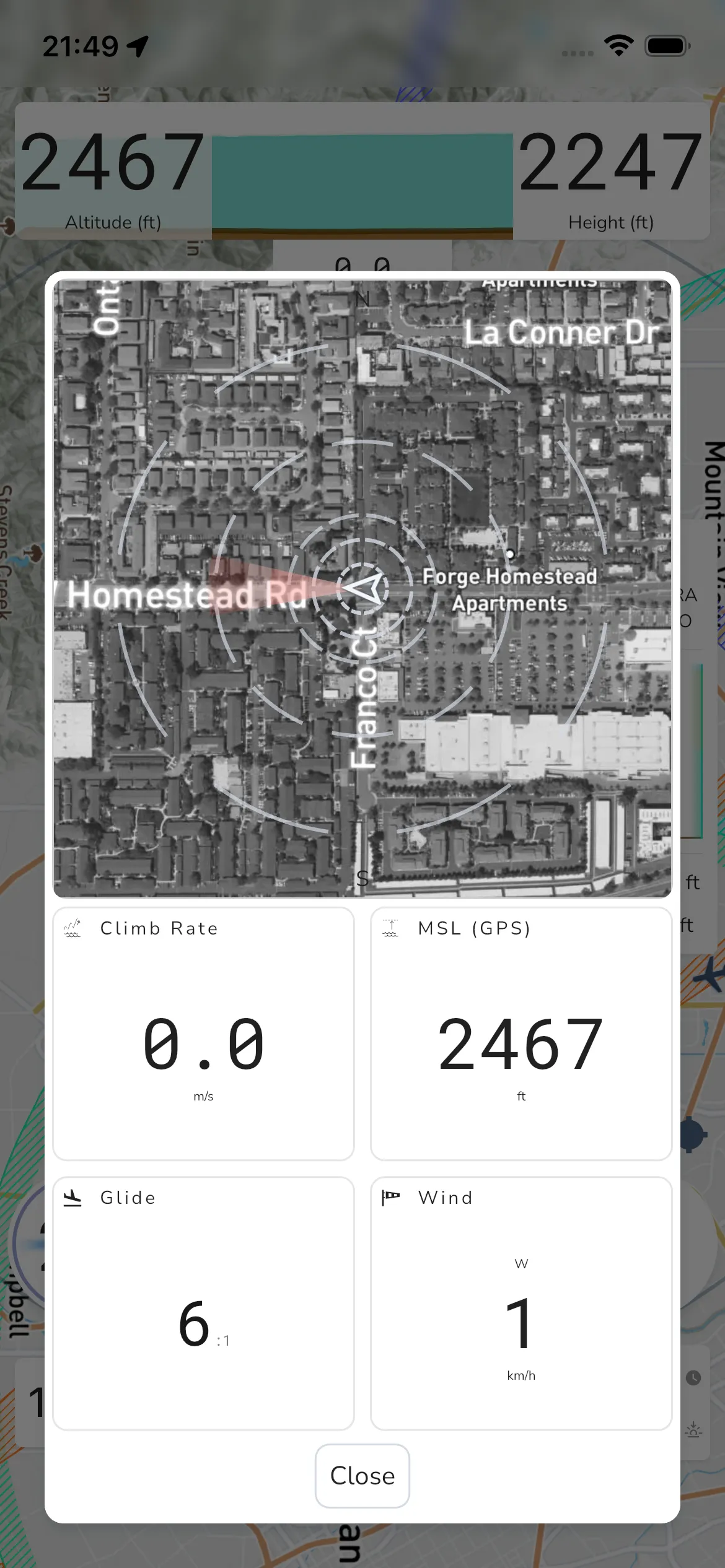
To open it manually, tap the climb-rate widget. In the current app flow, this opens the thermal assistant modal.
Depending on your settings, Thermal Assistant can also open automatically when thermalling is detected.
The current modal includes these cards:
- Climb Rate
- MSL (GPS)
- Glide
- Wind
Use Close to dismiss the modal.
If wind data is unavailable, or if the wind card is hidden by settings, wind information may not be shown in this panel.