
Help Article
Altitude
Use the altitude widget and current altitude settings, including QNH, QNE, presets, and takeoff references.
Altitude Instrument
The altitude widget is shown at the top of the in-flight instrument layout.
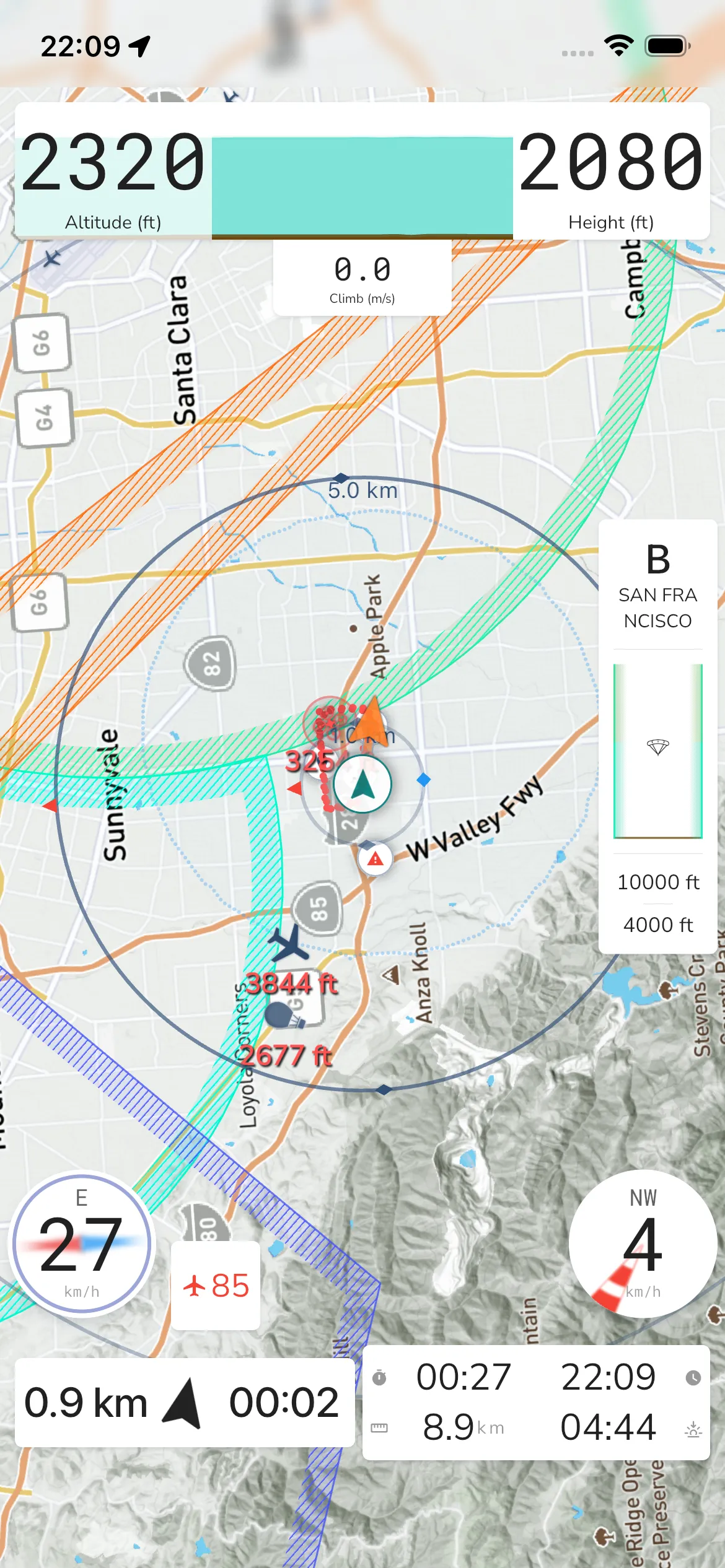
- Altitude value: The primary altitude reading for your current flight.
- Ground reference: A secondary reference for terrain context.
- Climb/Sink indicator: The climb-rate indicator is integrated into this instrument area.
- Altitude graph: A recent trend graph is shown behind the main readings.
Altitude Settings
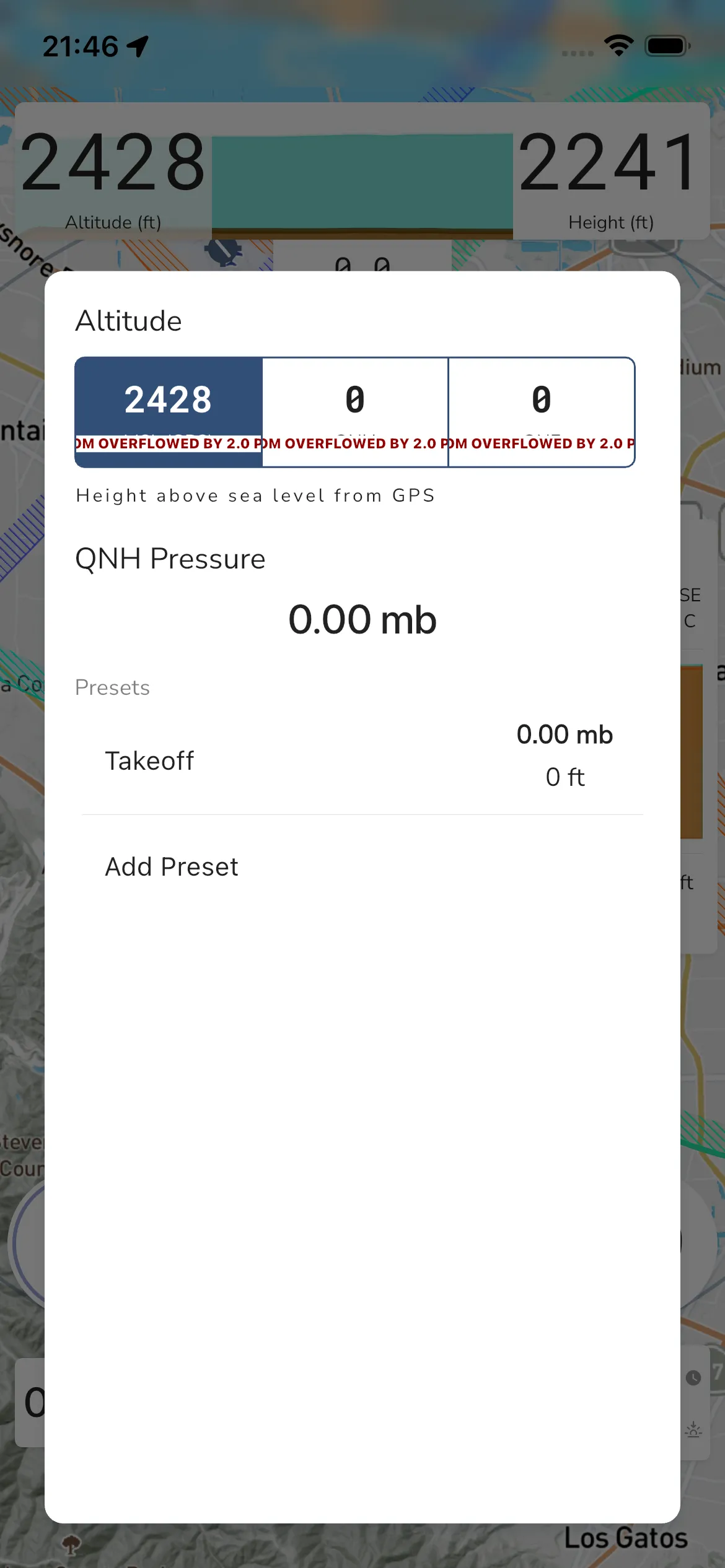
Tap the altitude widget to open the **Altitude** modal.
In the current modal you can:
- Select altitude mode: MSL (GPS), QNH, or QNE
- Review and edit QNH Pressure
- Use the Presets section
- Tap Takeoff for your current launch preset
- Tap Add Preset to save another pressure preset
The exact segmented-control layout may vary by device width, but the labels above are the current options shown in-app.